Back  
Pay with TNG


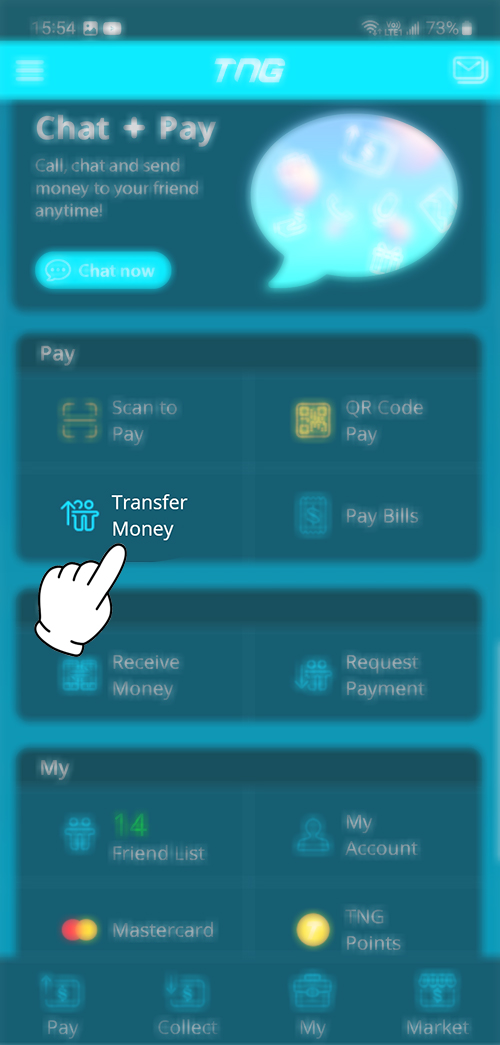
1. Open the TNG app


2. Scroll down and press “Transfer Money”


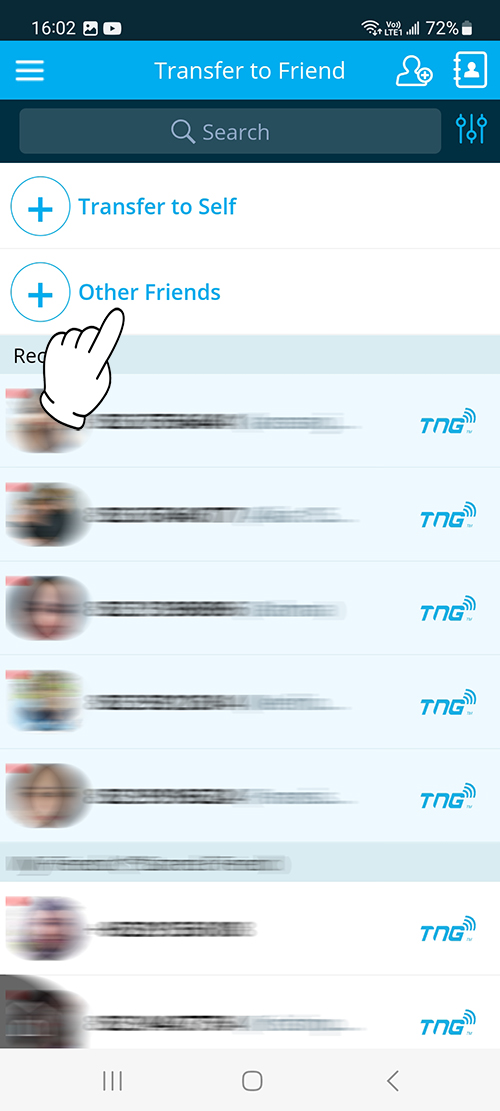
3. Press "Other Friends"


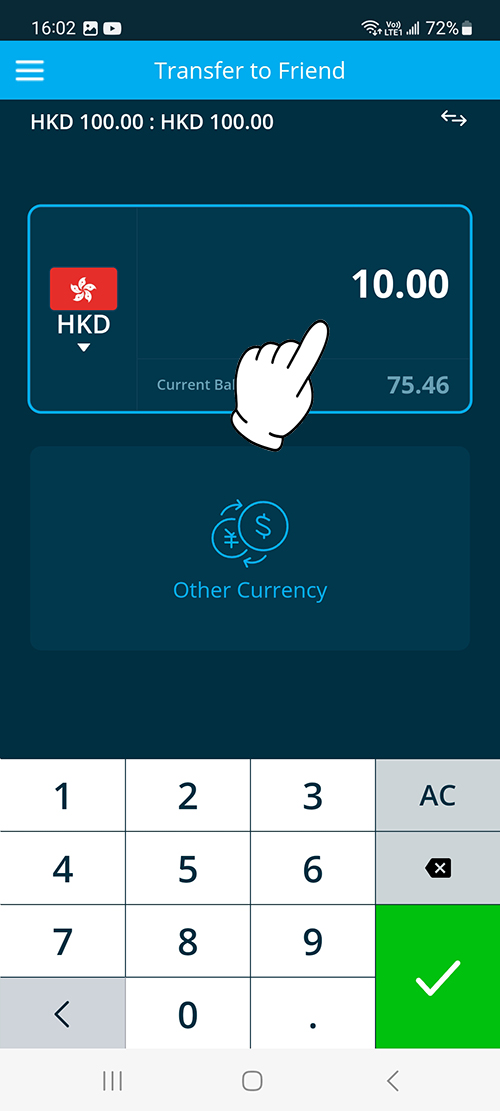
4. Enter amount then press icon


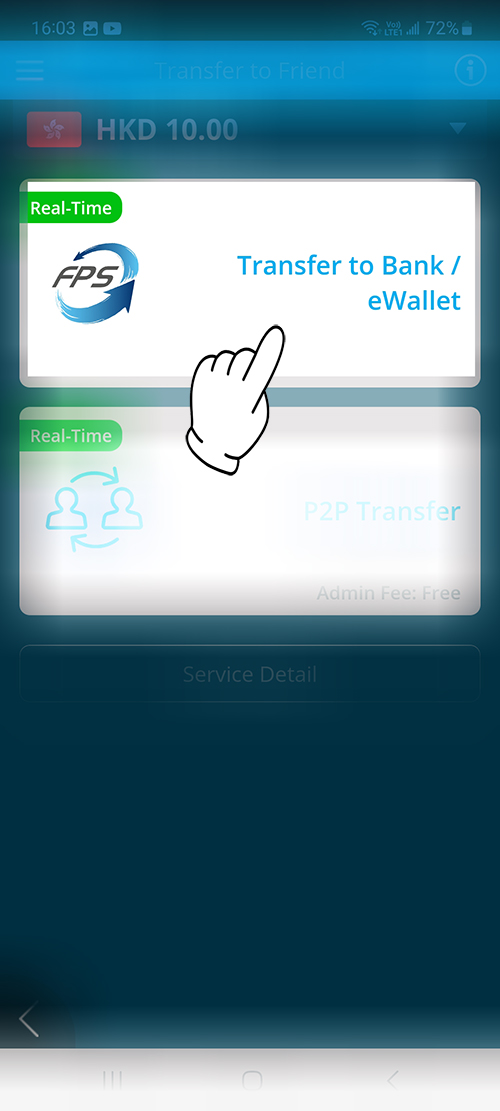
5. Choose & press "Transfer to Bank / eWallet"


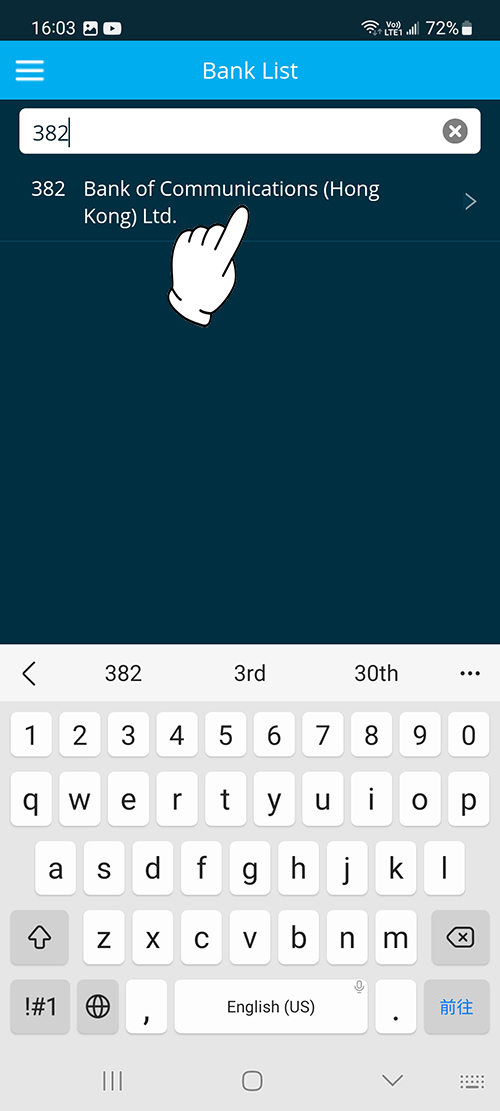
6. Search and select "382 Bank of Communications(Hong Kong)Ltd."


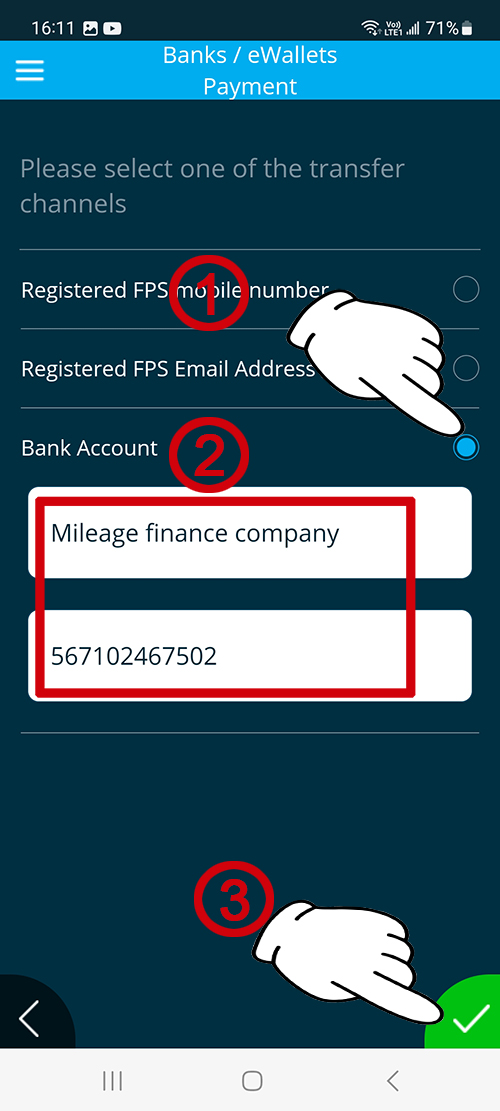
7. Choose "Bank Account" then type "Mileage finance company 567102467502" & press icon


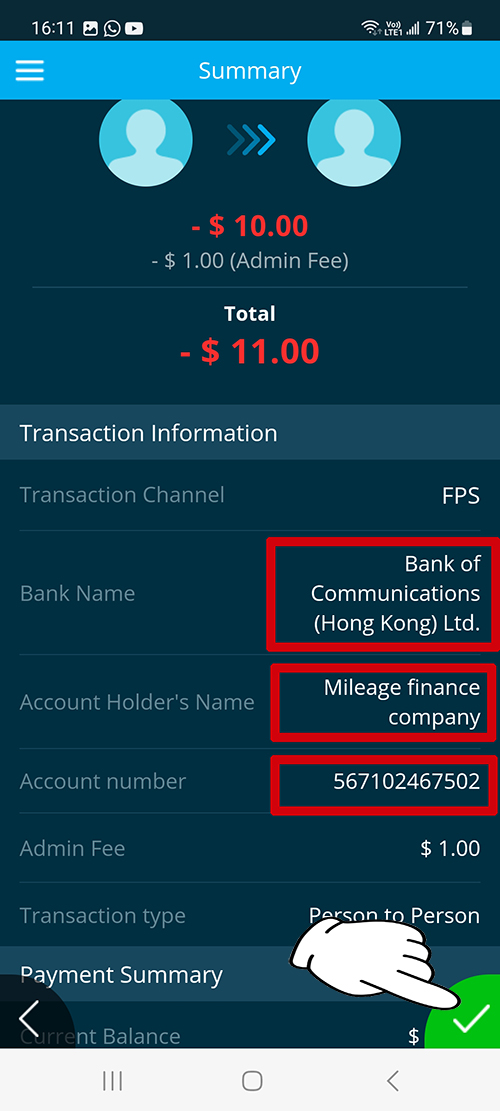
8. Confirm again that the account information is correct and press icon


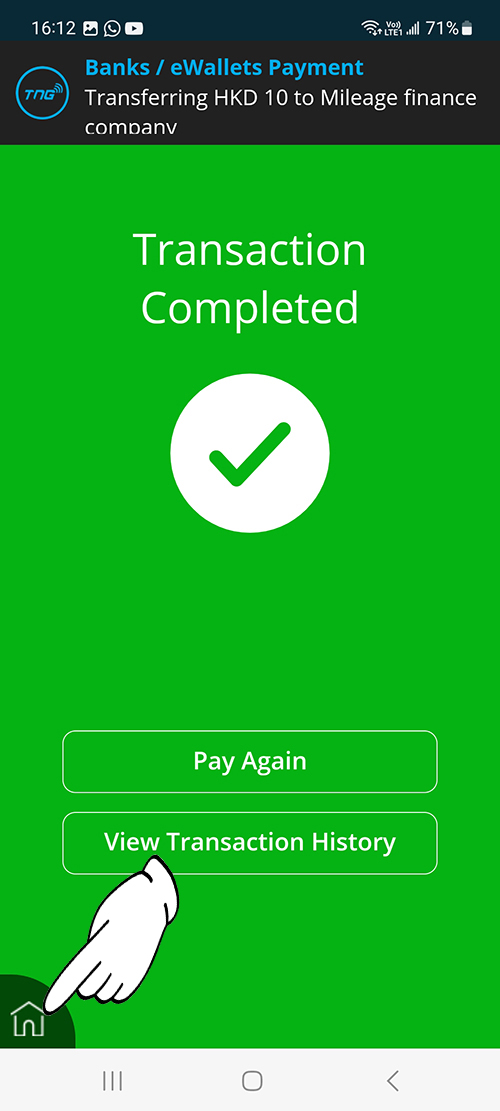
9. After the transaction is complete ,View the payment and press icon


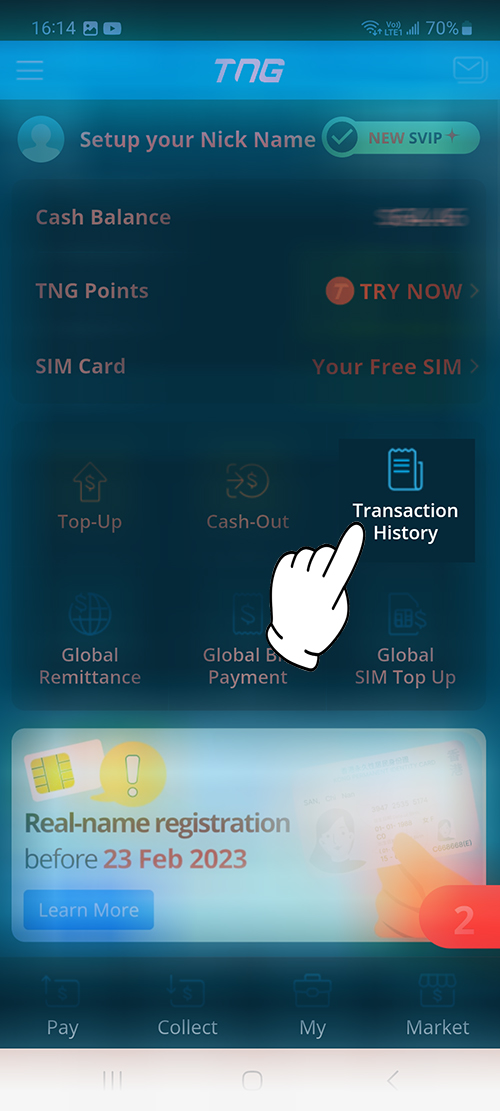
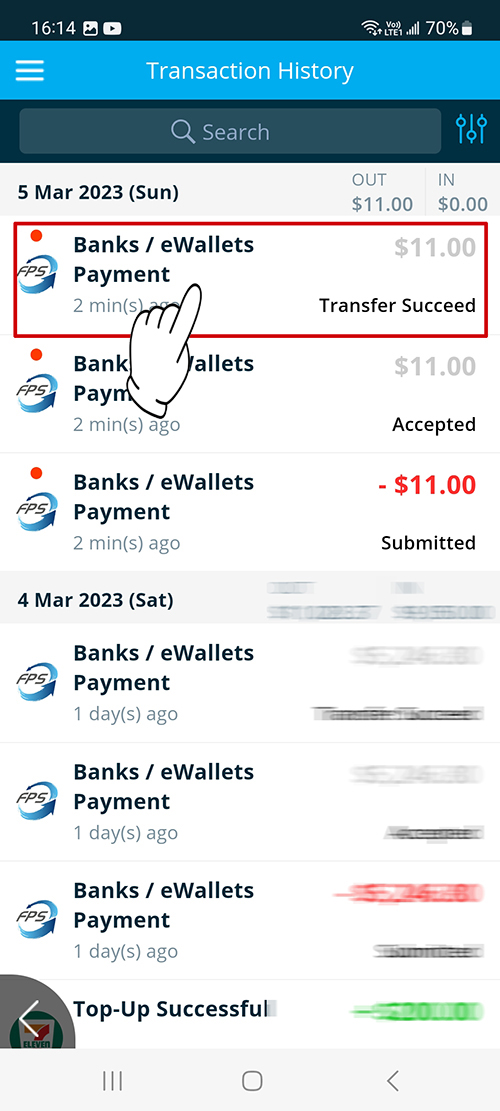
10. Press “Transaction History”


11. Find your transaction order in the list and press it


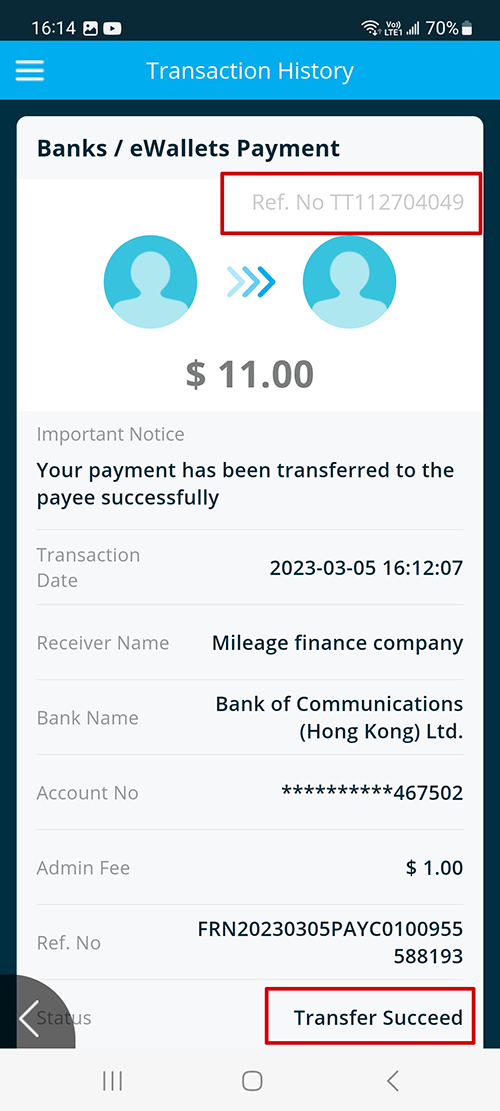
12. After confirming the successful remittance, please send us the screenshot of the following remittance interface. Up to now, all remittance processes have been completed.


Warning: You have to repay your loans. Don’t pay any intermediaries.
Peringatan: Anda harus membayar kembali pinjaman Anda. Jangan membayar perantara.

Money Lender’s Licence No.: 2169/2020